 Racqt
RacqtWebiOSAndroid
Volunteer hours
See your volunteer hours progress, deadline and compensation payment, use extra hours or donate them with a receipt, and sign up for work sessions.
On this page
Many clubs require their members to do a minimum number of volunteer hours (“Arbeitsstunden”) per year. In the portal you see at a glance how many hours you’ve already done and can sign up for upcoming work sessions.
Annual overview
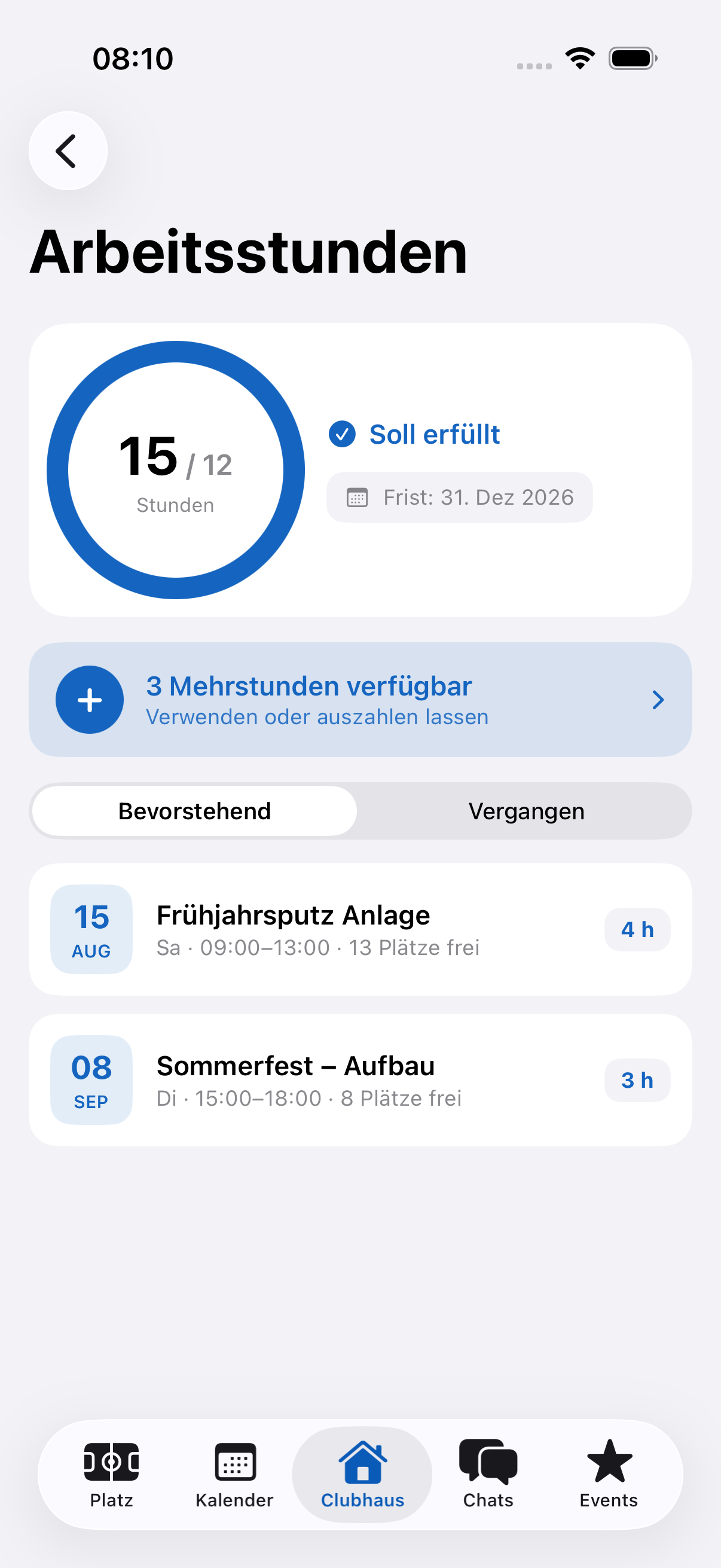
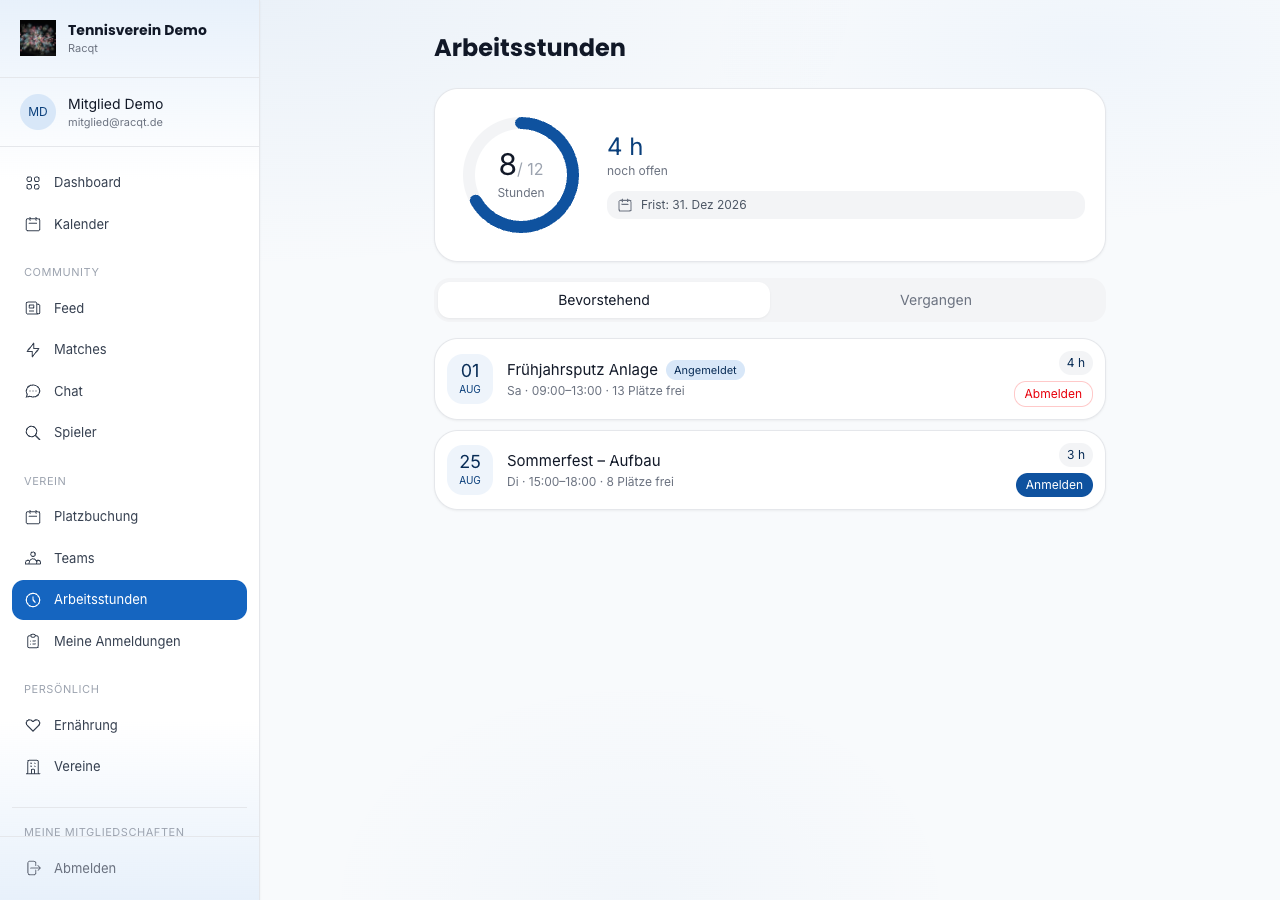
At the top of the page, a progress ring shows the hours you’ve done relative to the club’s annual target — for example “8 / 12 Stunden” (8 / 12 hours). Next to it you see how many hours are still open and by when they have to be done (your club’s deadline). The overview also shows the period for which your hours count.
Compensation payment
If your club has set a compensation rate, you can tap “noch offen” (still open): a window shows you transparently what happens if you don’t manage the open hours — open hours, rate per hour and the total amount, due at the deadline. The amount is then conveniently collected by the club by SEPA direct debit; you don’t have to do anything else.
Using extra hours
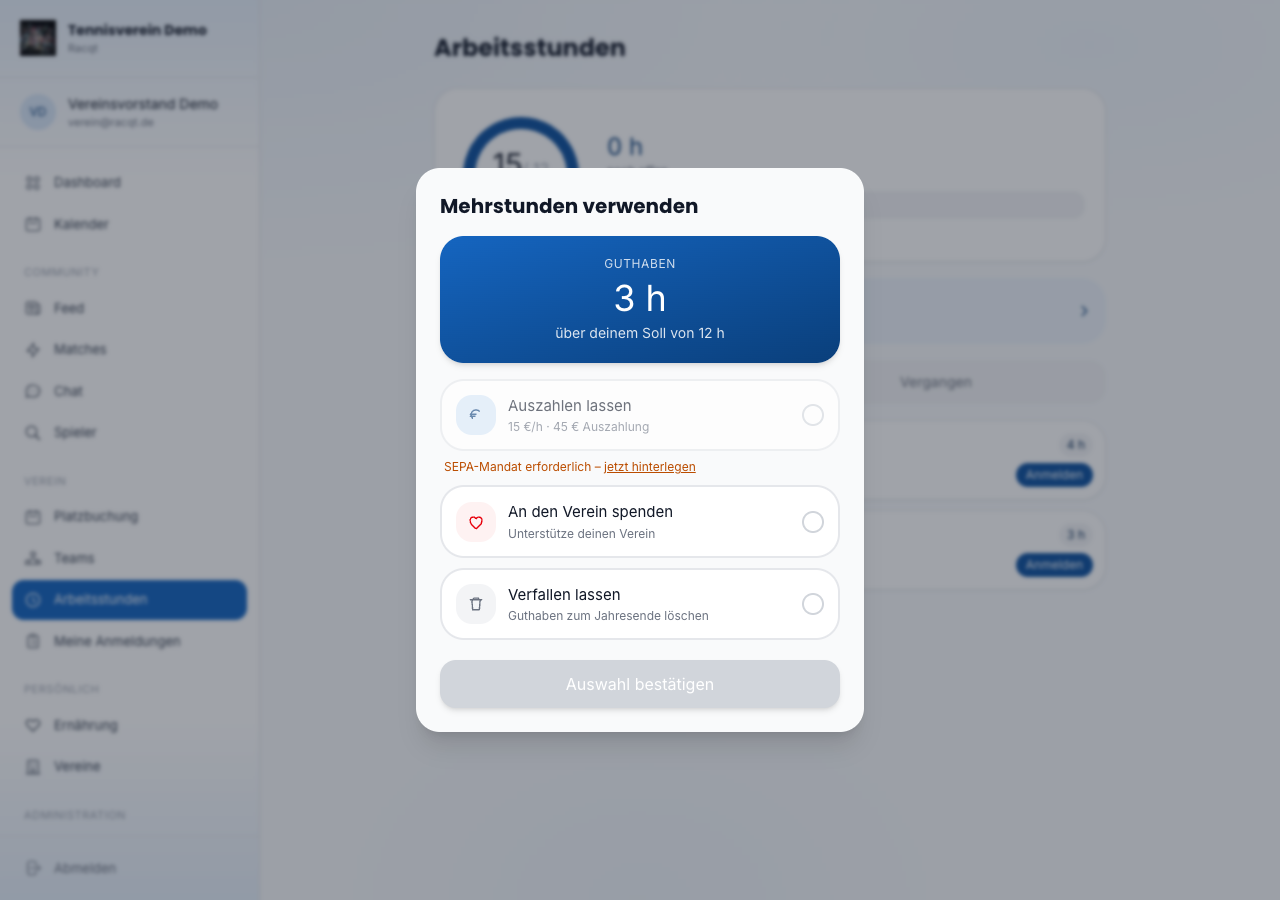
If you’ve done more hours than needed, a banner with your balance appears. If your club pays for extra hours, the banner in the iPhone and Android apps also shows roughly what they’re worth, for example “≈ 45 €”. You decide yourself what happens to it. Your club sets which options it allows:
- Auszahlen lassen (Have it paid out) — your club transfers the balance to you at the rate per extra hour (for this you need an active SEPA mandate).
- Schenkung an den Verein (Donation to the club) — you support your club with your extra hours.
- Spende mit Quittung (Donation with receipt) — you donate the payment and get a donation receipt for it (see below).
In the portal you choose the use directly in the “Meine Stunden” (My hours) card (and in the card for the previous period) as long as the period hasn’t been settled. With “Wahl zurücknehmen” (Withdraw choice) you cancel your choice again. In the portal you can only choose the payout once you’ve stored a SEPA mandate; until then the card links to your mandates. Next to the payout it says: “Vergütungen für Ehrenamt sind bis zur Ehrenamtspauschale steuerfrei. Erhältst du von mehreren Vereinen Vergütungen, achte selbst auf die Grenze.” (Payments for volunteering are tax-free up to the volunteer allowance. If you receive payments from several clubs, keep an eye on the limit yourself.)
A donation never applies by itself: you have to choose it yourself. If you choose nothing and your club has made payout the default, your extra hours are paid out; without a default they remain open. In the “Meine Stunden” (My hours) card in the portal you see what happens to your extra hours and whether it’s your choice or the club default. Extra hours never expire.
After the cut-off date, the “Meine Stunden” card switches to the new period. The finished period stays visible as a separate card Vorperiode · noch nicht abgerechnet (Previous period · not yet settled) until your club has settled it (the card only appears if you have extra hours there); you can still choose how to use them there. After the settlement run the card disappears, and the use can no longer be changed for that period.
If a payout is still open after the settlement run because you had no SEPA mandate, it appears in the portal and in the iPhone and Android apps under volunteer hours, with amount, period and a link to your SEPA mandates. In the apps you grant the mandate with one tap directly from this Auszahlung ausstehend (Payout pending) card. Once your mandate is in place, it says that the club will pay out with the next back payment. When the club has created the back payment, the notice disappears and the extra hours count as settled.
If your club doesn’t pay for extra hours, it can’t compensate them; then you don’t see a choice.
You can change your choice at any time until the annual settlement. After settlement you see the status and the amount settled.
Donation with receipt
If your club offers donation with a receipt, you can choose it as an option. It works in three steps:
- Choose your intention. You choose “Spende mit Quittung” (Donation with receipt). Below it says: “Das ist zunächst nur eine Absicht. Nach der Abrechnung fragen wir dich, ob du auf deinen Anspruch verzichtest. Erst dann bekommst du eine Spendenquittung vom Verein.” (For now this is only an intention. After the settlement we’ll ask you whether you waive your claim. Only then do you get a donation receipt from the club.) The portal then shows “Spende mit Quittung gewählt” (Donation with receipt chosen).
- Settlement. The club settles the period and decides how many extra hours are paid at what amount. You get the notification “Verzicht bestätigen” (Confirm waiver).
- Declare your waiver. In the portal and in the app the Verzicht bestätigen (Confirm waiver) card appears with period, hours, amount and the text of your waiver: “Ich verzichte auf meinen Anspruch auf Vergütung von … Mehrstunden in Höhe von … gegenüber … zugunsten des Vereins. Mir ist bekannt, dass ich stattdessen die Auszahlung wählen kann.” (I waive my claim to payment for … extra hours amounting to … from … in favour of the club. I am aware that I can choose the payout instead.) You confirm it with Verzicht erklären (Declare waiver). Your club then issues you the donation receipt. For a year the portal shows “Verzicht erklärt am … für …” (Waiver declared on … for …) with the date and period.
For the receipt your club needs your full address (street and house number, postcode, town). Your club maintains the address; you can’t change it yourself. If something is missing, the option is locked and you see: “Für eine Spendenquittung braucht dein Verein deine vollständige Anschrift. Bitte deinen Verein, sie zu ergänzen.” (For a donation receipt your club needs your full address. Ask your club to complete it.) This also applies when waiving, if the address has become incomplete in the meantime.
You have a deadline for the waiver. It’s shown below the waiver text, for example: “Frist: bis 29.01.2027. Verzichtest du bis dahin nicht, wird der Betrag ausgezahlt.” (Deadline: 29.01.2027. If you don’t waive by then, the amount will be paid out.) Depending on the club it says instead: “… entscheidet der Vorstand über die Verwendung.” (… the committee decides how it’s used.) Before the deadline Racqt reminds you once, for example with “Noch 3 Tage: Verzicht bestätigen” (3 days to go: confirm waiver).
If you’d rather not donate after all, tap Lieber auszahlen lassen (Pay out instead) and confirm. The amount is then paid out to you, and a waiver is no longer possible. If a SEPA mandate is still missing, the club pays out as soon as you store one.
If the deadline passes, your club’s rule applies: either the amount is paid out and you get the notification “Verzichtsfrist abgelaufen” (Waiver deadline expired). Or your committee decides; then the card says “Die Frist ist abgelaufen. Dein Vorstand entscheidet jetzt über die Verwendung.” (The deadline has passed. Your committee now decides how it’s used.) You can then no longer waive yourself, but you can still have it paid out. If you’ve waived towards the committee, for example in writing, it can record the waiver for you. A waiver never comes about tacitly.
If the waiver text has changed since the page was loaded, the portal reports “Der Verzichtstext hat sich geändert. Bitte lade die Seite neu.” (The waiver text has changed. Please reload the page.) Then read it again and confirm it once more.
With an app older than version 1.7.0 you declare the waiver in the portal.
Signing up for work sessions
Below the annual overview you see all upcoming club work sessions with title, date, time, place and the current number of sign-ups. If there’s still room, click “Anmelden” (Sign up). The session then appears with a green “Angemeldet” (Signed up) badge.
If you signed up by mistake or can’t come after all, click “Abmelden” (Withdraw) to withdraw your participation.
After the session the badge shows you what happens next: “Wartet auf Freigabe” (Awaiting approval) while the committee still has to confirm your check-in, “Gutgeschrieben” (Credited) as soon as the hours count, or “Nicht anerkannt” (Not recognised). If it says “Nicht erschienen” (Did not attend), no attendance was recorded for this session; there’s no credit for it. You can only withdraw as long as you’re signed up and haven’t checked in yet.
Checking in on the day
On the day of the session you check in in the app — at the earliest one hour before it starts. If you share your location and are on site, the scheduled hours are credited to you automatically after the session ends. If the session is already over, check-in is only possible as a request.
Without sharing your location, or if you’re not at the work site, you can check in as a request. Then the committee confirms your hours. If they decline, you see the reason in the app.
Notifications
Your club and Racqt get in touch when you need to do something. You only get notifications with a Racqt account: in the app, as a push (if you’ve turned it on) and as an email to your Racqt account’s address. Every notification comes only once. In the iPhone and Android apps, tapping the push opens the volunteer hours view.
- Extra hours done: you go above your target in a period for the first time, even if the committee corrects your hours afterwards. The notification only comes if your club has set a cut-off date, pays for extra hours and you haven’t chosen yet. It names your cut-off date; if the period is already over, it asks you to choose soon. It also tells you what happens without a choice: they’re paid out if your club has made payout the default, otherwise they’re not paid.
- 14 days to go: once, from 14 days before the cut-off date, Racqt reminds you if you have extra hours without your own choice (only if extra hours are paid) or if you’re short of hours and your club has set a compensation rate. If Racqt missed the day, for example because the cut-off date was set later, the reminder comes on a later day before the cut-off date; the title then says, for example, “Noch 5 Tage” (5 days to go). In the first case it says what happens without a choice, in the second the amount that will be due as compensation. You don’t get a reminder for periods that have already been settled.
- Payout pending: after the annual settlement, a SEPA mandate for your payout is missing. Store one, and the payment will be made.
- Confirm waiver: you chose “Spende mit Quittung” (Donation with receipt) and the club has settled. The notification names hours and amount and asks you to confirm the waiver.
- … days to go: confirm waiver: once before the deadline, with date and amount. If the reminder only comes on the last day, it reads “Heute: Verzicht bestätigen” (Today: confirm waiver).
- Waiver deadline expired: you didn’t waive, and your club pays out the amount.
In the apps
The complete volunteer hours view — progress ring, deadline, compensation payment, extra hours and signing up for sessions — is also available in the iOS and Android apps (in club mode or in the tennis area under “Arbeitsstunden”).